The IFC viewer for Microsoft
Review and coordinate models across Teams, SharePoint, Excel, and Power BI. Free to start, with project data kept on your device or in your Microsoft 365 tenant.
One shared model for every stakeholder, from design and delivery to operations.
Trusted worldwide












Open standards. Federated by default.

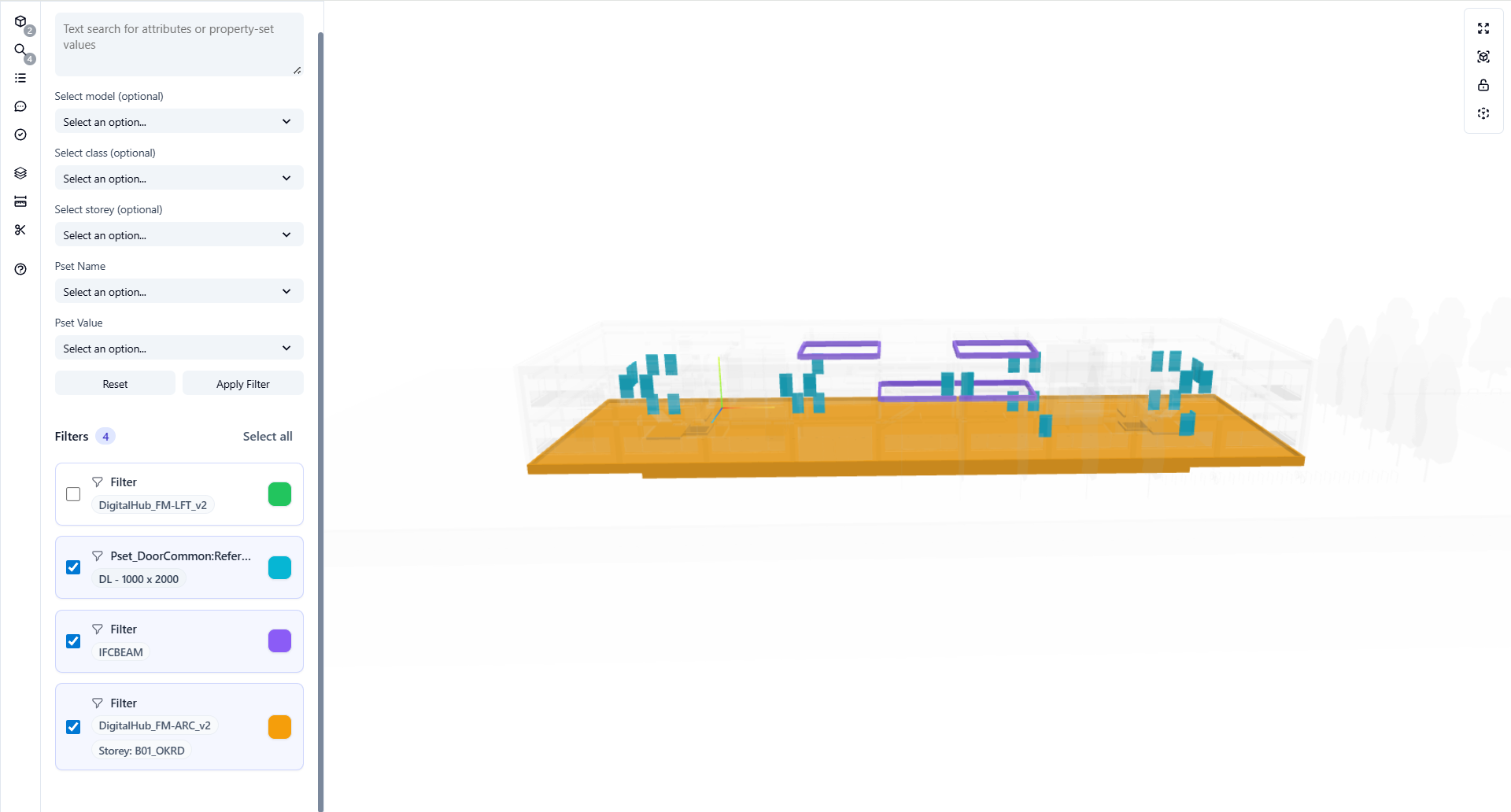

IFC 2x3, 4, 4x3
Accelerated rendering for enterprise-scale models, including georeferenced infrastructure with alignments. Open several models at once.
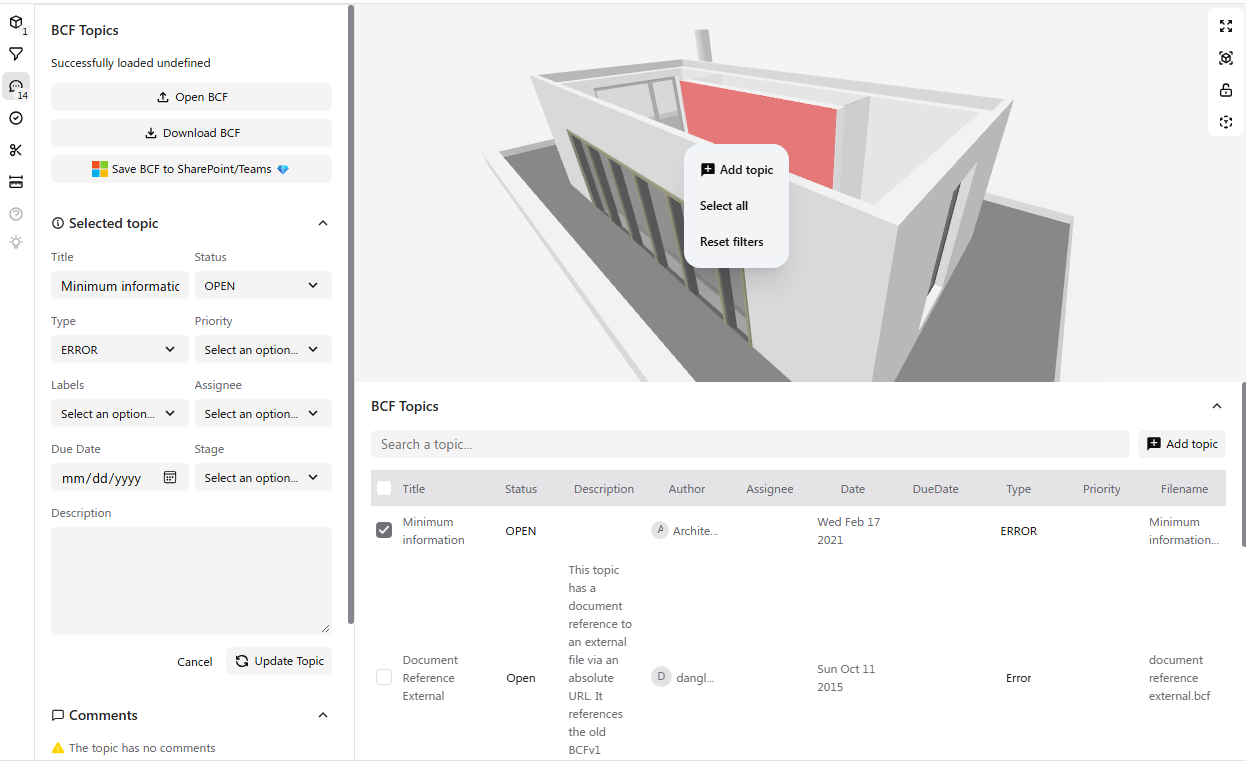

BCF 2.1 & 3.0
Native issue tracking with topics, viewpoints, and comments. Import from Navisworks.
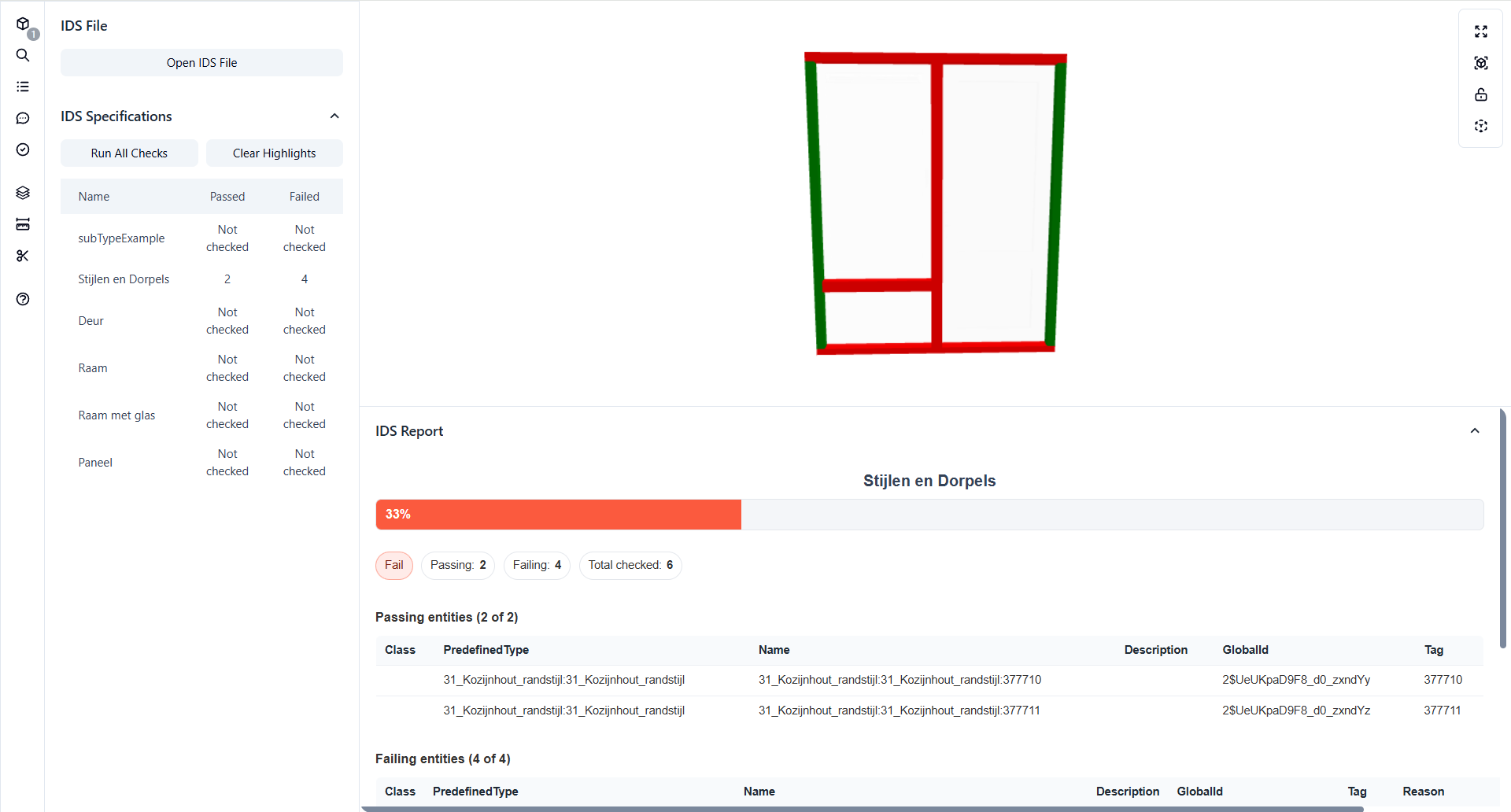

IDS 1.0 Validation
Run specs with pass/fail highlighting and detailed validation reports.
Built for enterprise-scale models
Open large, federated IFC models in seconds, right in the browser. Multiple gigabytes of building, MEP, and infrastructure data, on standard office hardware.
Federated models across disciplines
Orbit and zoom after loading
No specialist BIM workstation required
The IFC viewer for Microsoft
No new software to learn. Works with your existing Microsoft 365 setup.





Your project data stays in your tenant
IFC data is processed client-side in your Microsoft environment. Existing Microsoft identity and permissions simplify security reviews.
Security & architecture docs →- Client-side processing in Microsoft 365
- SSO and MFA via Microsoft Entra ID
- Runs on your existing Microsoft 365 permissions
- Microsoft AppSource certified
Try it live
Explore interactive demos with sample data. No sign-up required.
View All DemosGet started in 3 simple steps
Open an IFC file
From your device or drag & drop. No upload required.
Explore in 3D
Navigate geometry, inspect properties, take measurements.
Stay private
No upload, no second system. Data stays in your Microsoft tenant.
Trusted by BIM professionals
"Flinker's IFC Viewer is very smooth and works very well for viewing IFC models."

Architect & BIM, Asset Management. 26 years, India & USA
"Flinker turned Microsoft 365 into a full BIM-ready CDE. Open IFC from SharePoint, embed it as a native web part, with BCF and IDS for real coordination."

Founder, That Open Company
Community vs. Enterprise
The complete IFC Viewer is free. Enterprise adds tailored onboarding, deployment, support, and Microsoft solutions.
Feature | Community | Enterprise |
|---|---|---|
| IFC Viewer | ||
| Open IFC, BCF, IDS & DXF files | ||
| PDF 3D overlay | ||
| Multi-model federation | ||
| IFC Filters | ||
| Model tree browser | ||
| Properties panel | ||
| Floor plans | ||
| Measurements | ||
| Clipping planes | ||
| Download Excel to computer | ||
| Download selected as IFC | ||
| Save Excel to SharePoint/Teams | ||
| IDS Manager | ||
| Load IDS specifications | ||
| Run validation checks | ||
| Pass/fail highlighting | ||
| Detailed failure reports | ||
| BCF Manager | ||
| Create & edit BCF topics | ||
| Viewpoint navigation | ||
| Comments | ||
| Download BCF to computer | ||
| Upload BCF from Navisworks | ||
| Save BCF to SharePoint/Teams | ||
| Sync BCF to Microsoft Lists | ||
| IFC Copilot | ||
| Natural language queries | ||
| Push output to Excel | ||
| Advanced IFC Copilot & custom AI | ||
| Platform | ||
| Works in Teams, SharePoint & Excel | ||
| Unlimited projects & storage | ||
| Community & documentation support | ||
| Security & Architecture | ||
| Client-side processing in Microsoft 365 | ||
| Project data stays in your tenant | ||
| Single sign-on & MFA via Microsoft Entra ID | ||
| Runs on your existing Microsoft 365 permissions | ||
| Microsoft AppSource certified | ||
| Deployment & Support | ||
| Priority support, SLA & named technical contact | ||
| Guided deployment & admin onboarding | ||
| Customer-hosted Azure deployment options | ||
| Framework agreement & PO invoicing | ||
| Custom integrations, features & Microsoft syncs | ||
| White-label / OEM licensing | ||
| Usage & license reporting | ||
| Controlled releases, LTS & version pinning | ||
Pricing Plans
Free for every team. Enterprise for tailored deployments.
Community
Free forever on web, SharePoint, Teams & Excel
Forever free
- Full IFC, BCF & IDS viewer
- Save Excel & BCF to SharePoint / Teams
- Sync BCF to Microsoft Lists
- IFC Copilot, natural language queries
- Self-hosted, data stays in your tenant
Enterprise
For tailored deployments across Microsoft 365 and Azure
Custom quote
- Everything in Community
- Guided deployment & admin onboarding
- Customer-hosted Azure deployment options
- Controlled releases, LTS & version pinning
- Priority support, SLA & named technical contact
- Custom integrations, features & white-label
- Fabric, OneLake & customer-managed AI solutions
Framework agreements, PO invoicing & public-sector procurement support available.
Community is free forever for your whole team. Enterprise is tailored to your rollout.
Deploy OpenBIM on your terms
Choose a Microsoft-native rollout across Microsoft 365 or customer-hosted Azure, with governed access, regional deployment options, data integrations, and AI tailored to your environment.
Plan your deploymentGovern at scale
Tenant onboarding, Microsoft 365 governance, compliance, and audit support.
Run in your Azure
Customer-hosted containers, regional deployment, LTS, and version control.
Connect enterprise data
Bring IFC-derived data into Microsoft Fabric, OneLake, and Power BI.
Bring your own AI
Use customer-managed models and agents with Flinker IFC grounding.
- Sovereign deployment options
- Framework agreements
- PO invoicing
- Public-sector procurement support
Embed the IFC Viewer Anywhere
Add browser-based IFC viewing to any web app, CDE, or custom platform. White-label options available.
- JavaScript SDK or iframe embed
- Self-hosted or cloud deployment
- Custom branding & white-label
- Enterprise licensing & SLAs
Runs entirely in the browser with zero external dependencies.
Frequently Asked Questions
Can't find an answer? Check our docs or contact support
Is this an online IFC viewer if files stay on my device?
Which IFC versions are supported?
What's the difference between Community and Enterprise?
How do I install the app in Teams or SharePoint?
Can I embed the IFC Viewer in my platform?
OpenBIM 365 community
The home for OpenBIM on Microsoft. Join partners, integrators, and developers.
Join the communityReady to get started?
Install Flinker directly from Microsoft AppSource.