IFC Viewer: Free, Fast, and Private
Open large IFC models directly in your browser. Files stay on your device — no upload required.
Interoperability that scales with federated project teams.
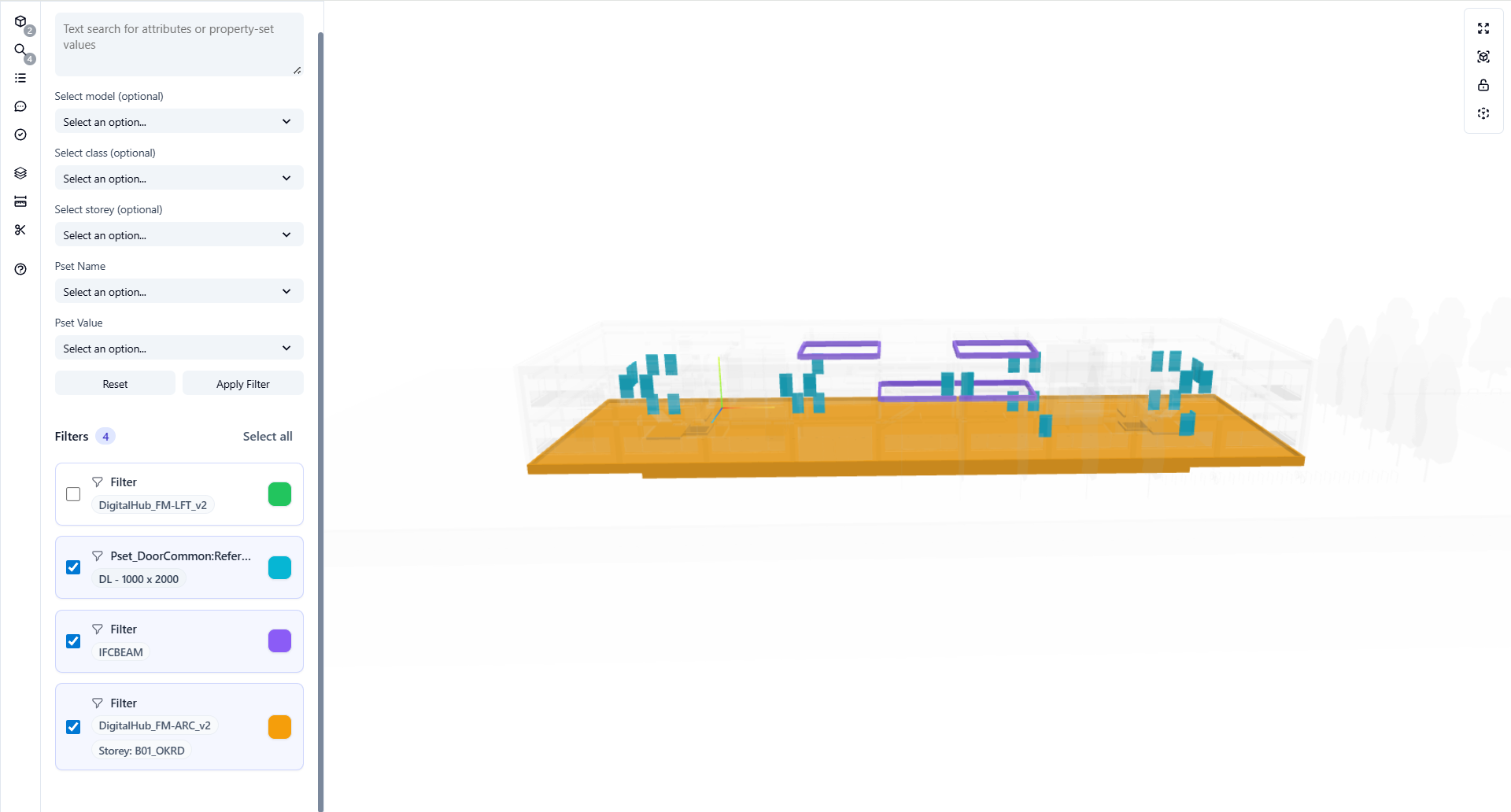
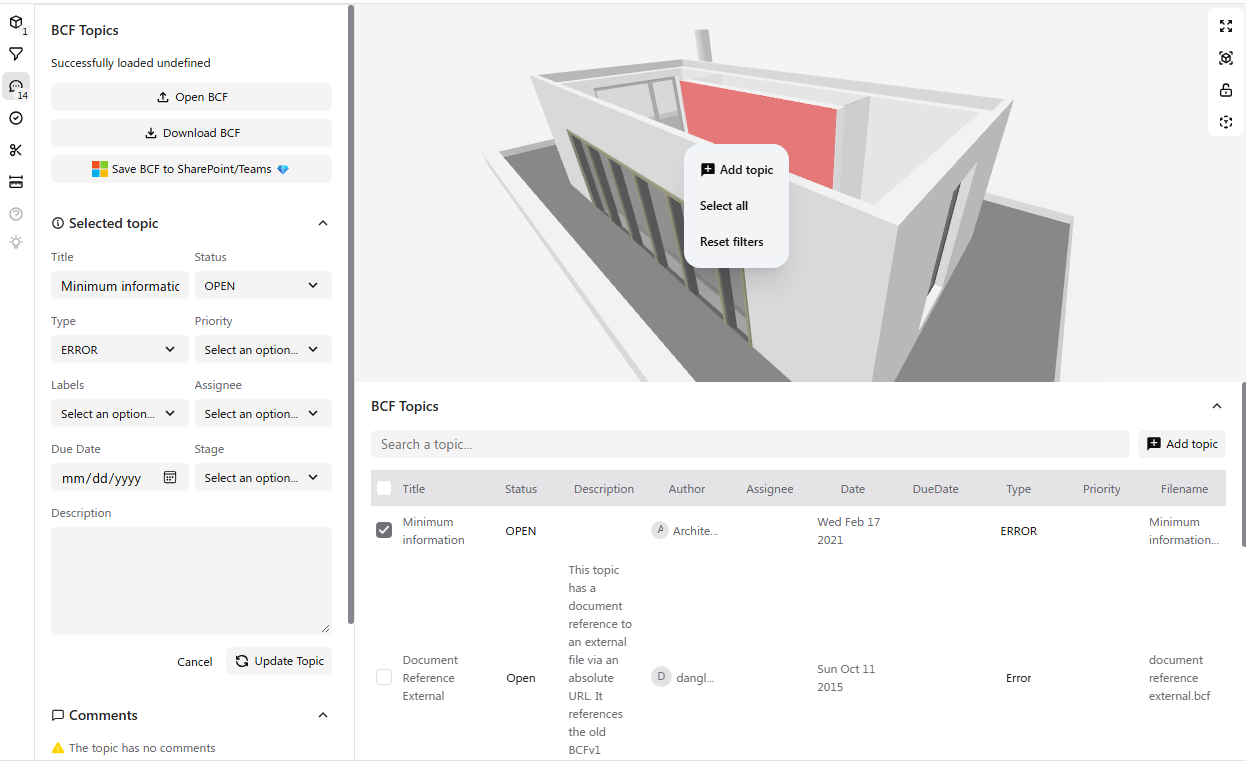
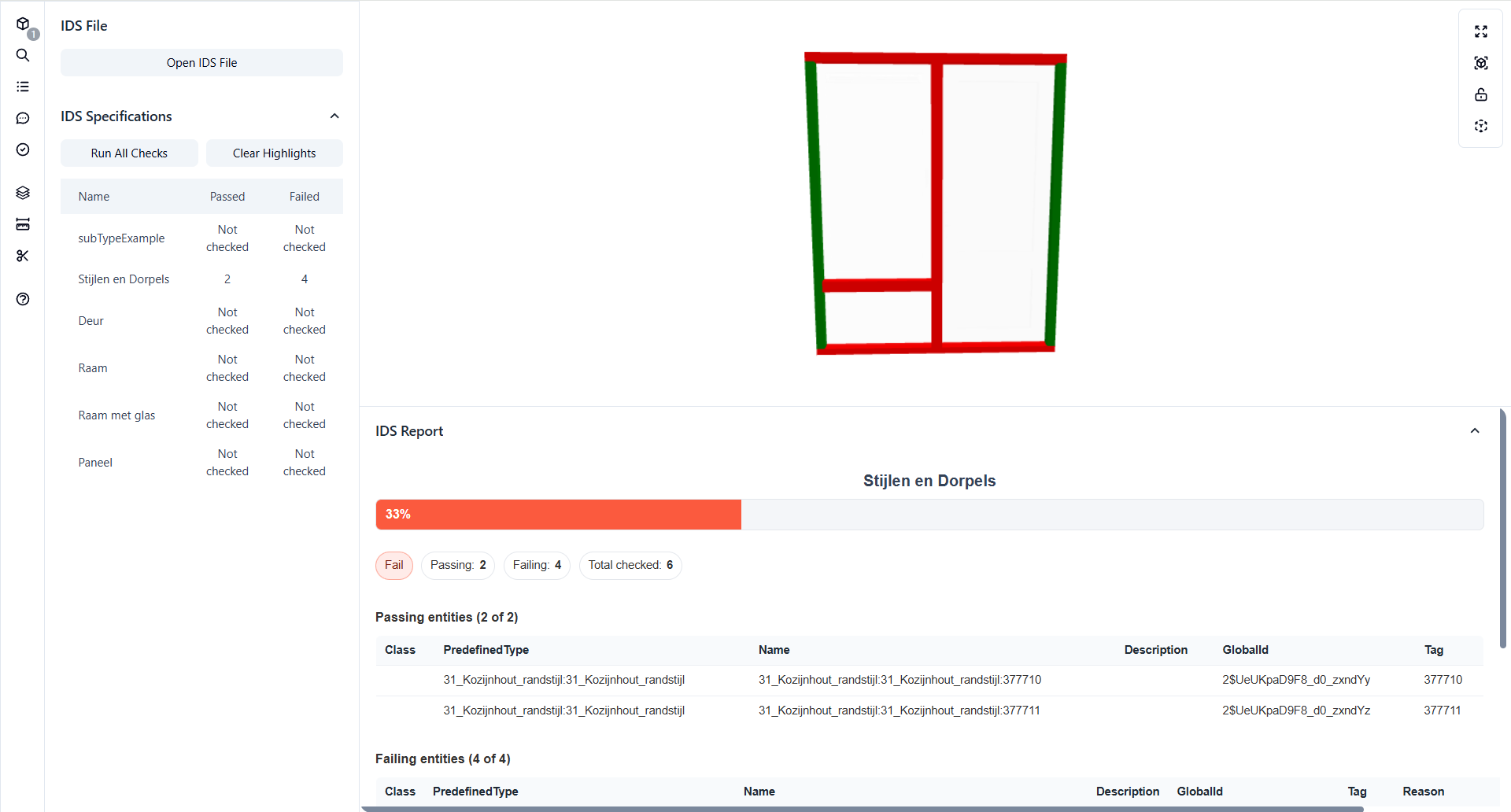
Deploy in the Microsoft tools your teams already use
No new software to learn. Works with your existing Microsoft 365 setup.


Try it live
Explore interactive demos with sample data. No sign-up required.
View All DemosGet started in 3 simple steps
Open an IFC file
From your device or drag & drop. No upload required.
Explore in 3D
Navigate geometry, inspect properties, take measurements.
Stay private
Your model never leaves your browser.
Free vs. Pro
One Pro license unlocks all features across Teams, SharePoint, and Excel.
Feature | Free | Pro |
|---|---|---|
| IFC Viewer | ||
| Open IFC, BCF & IDS files | ||
| Multi-model federation | ||
| IFC Filters | ||
| Model tree browser | ||
| Properties panel | ||
| Floor plans | ||
| Measurements | ||
| Clipping planes | ||
| Download Excel to computer | ||
| Download selected as IFC | ||
| Save Excel to SharePoint/Teams | ||
| IDS Manager | ||
| Load IDS specifications | ||
| Run validation checks | ||
| Pass/fail highlighting | ||
| Detailed failure reports | ||
| BCF Manager | ||
| Create & edit BCF topics | ||
| Viewpoint navigation | ||
| Comments | ||
| Download BCF to computer | ||
| Upload BCF from Navisworks | ||
| Save BCF to SharePoint/Teams | ||
| Sync BCF to Microsoft Lists | ||
| IFC Copilot | ||
| Natural language queries | ||
| Push output to Excel | ||
| Platform | ||
| Works in Teams, SharePoint & Excel | ||
| Unlimited projects & storage | ||
| Email support | ||
Pricing Plans
Choose the right plan for your team
Free
Free on web, SharePoint, Teams & Excel
€0
forever- Open IFC, BCF & IDS locally
- Multi-model federation
- IFC Filters
- Download Excel reports
Pro
Cloud save & collaboration
€90
per user / year- Everything in Free
- Save Excel & BCF to cloud
- Sync to Microsoft Lists
- Email support
Enterprise
For teams with custom requirements
Custom
pricing- Everything in Pro
- Project-based licensing
- Custom integrations
- Priority support & SLA
- Volume licensing
One Pro license unlocks all features across Teams, SharePoint, and Excel.
Embed the IFC Viewer Anywhere
Add browser-based IFC viewing to any web app, CDE, or custom platform. White-label options available.
- JavaScript SDK or iframe embed
- Self-hosted or cloud deployment
- Custom branding & white-label
- Enterprise licensing & SLAs
Runs entirely in the browser with zero external dependencies.
Frequently Asked Questions
Can't find an answer? Check our docs or contact support
Is this an online IFC viewer if files stay on my device?
Which IFC versions are supported?
What's the difference between Free and Pro?
How do I install the app in Teams or SharePoint?
Can I embed the IFC Viewer in my platform?
Ready to get started?
Try the free viewer now or install from Microsoft AppSource.